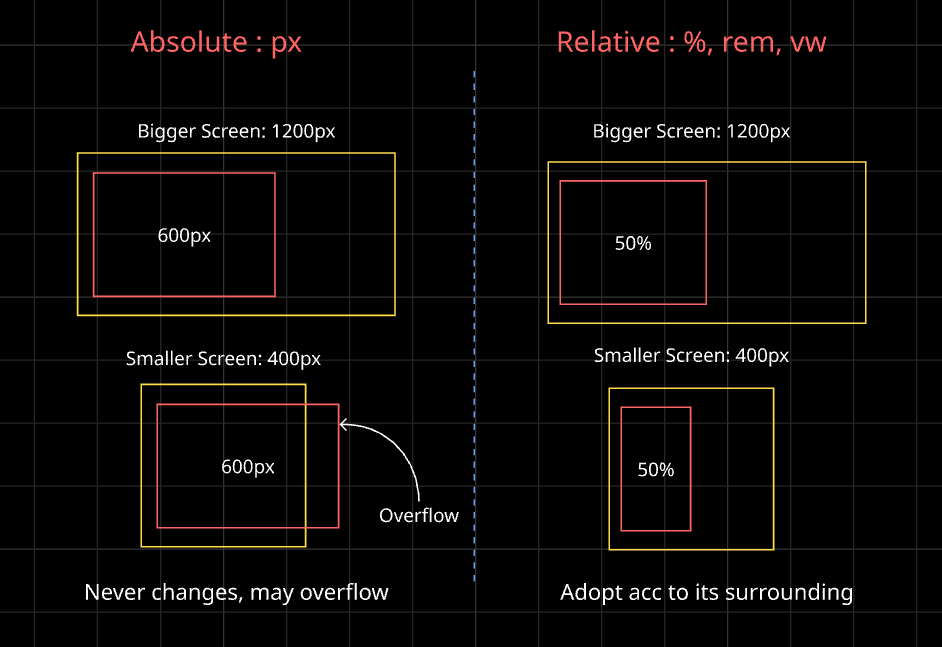
You build a card, set its width to 600px, and it looks perfect on your laptop. Then you open it on your phone, and half the card hangs off the screen.
Nothing is “wrong” with your code. The problem is the unit you picked. This blog is for beginners, and by the end you’ll know which unit to reach for, and why.
What is a CSS Unit?
Whenever you give CSS a size (width, font size, margin, padding), you write a number plus a unit:
p {
  font-size: 16px;
  margin-bottom: 2rem;
}
The number says “how much,” and the unit says “measured in what.” Units come in two families, and that’s the one idea to hold onto.
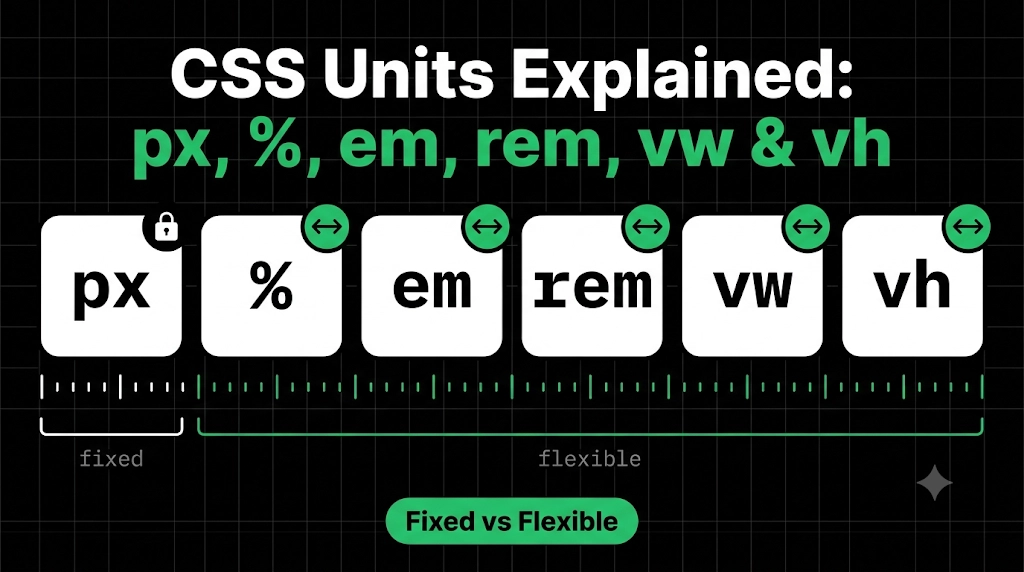
Absolute units are fixed. They never change, whatever the screen.
Relative units are flexible. They’re measured against something else (the parent, the font size, or the screen).
Absolute Unit: px
px (pixels) is the one you’ll meet first. 200px is always 200px.
.box {
	width: 200px;
}
It’s predictable, which is great for small details like borders or icon sizes. But it doesn’t adapt. On a tiny screen, that 200px box stays 200px.
Think of px like a fixed-size picture frame. Whatever the wall looks like, the frame stays the same size.
Relative Unit: %
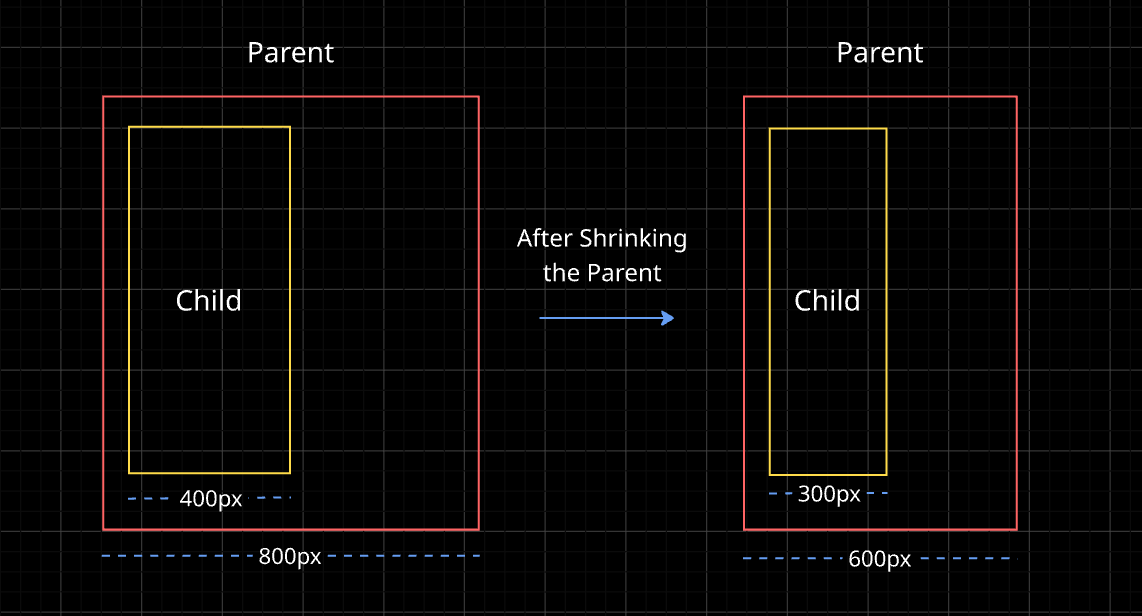
A percentage is measured against the parent element’s size.
.parent {
  width: 400px;
}

.child {
  width: 50%;   /* 200px */
}
The child is half the width of its parent. If the parent shrinks to 300px, the child becomes 150px automatically. Percentages are great for layouts that need to stretch and shrink together.
Relative Unit: em
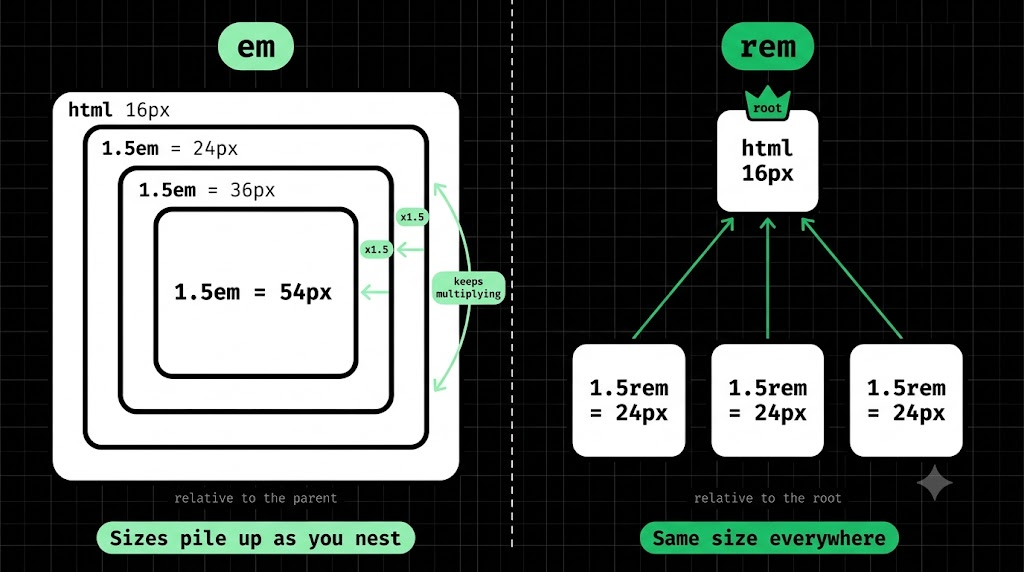
em is measured against the font size. If the font size is 16px, then 1em is 16px and 2em is 32px.
button {
  font-size: 20px;
  padding: 1em;   /* 20px */
}
Here the padding scales with the button’s text. Make the text bigger, and the padding grows with it.
The catch is that em compounds. When elements are nested, each one multiplies against its parent’s font size, and the numbers can snowball in surprising ways. That’s why many developers prefer the next unit for font sizes.
Relative Unit: rem
rem stands for “root em.” It’s measured against the font size of the root element (html), not the parent. Browsers usually default this to 16px, so 1rem is normally 16px.
h1 {
  font-size: 2rem;  /* 32px */
}

p {
  font-size: 1rem;  /* 16px */
}
Because it always points to the same root, rem doesn’t compound the way em does. It also respects the user’s browser settings: if someone has chosen a larger default font for accessibility, rem text grows with it, but px text doesn’t. That’s why rem is a popular choice for font sizes and spacing.
Relative Units: vw and vh
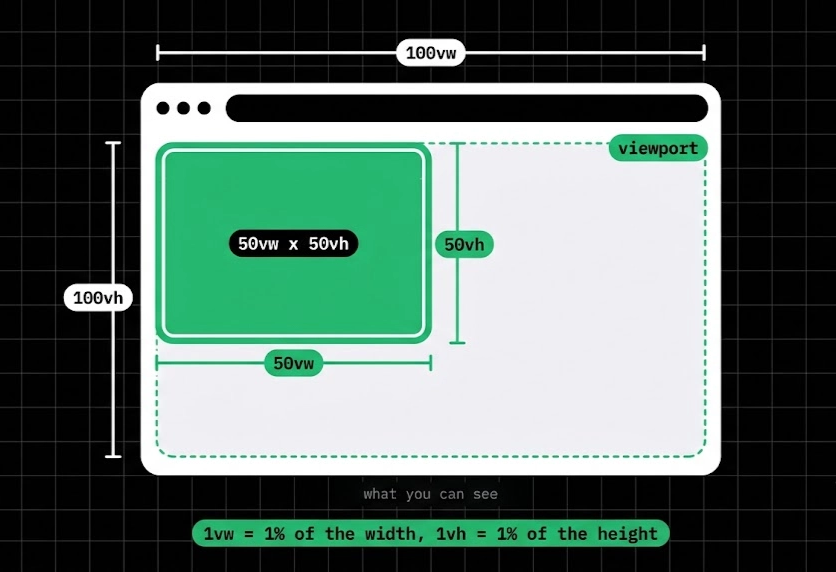
These are measured against the screen (viewport).
1vwis 1% of the viewport’s width.1vhis 1% of the viewport’s height.
.hero {
  width: 100vw;
  height: 100vh;   /* fills the whole screen */
}
This makes full-screen sections easy, but phones add a twist. Mobile browsers have an address bar that slides in and out as you scroll, and 100vh ignores it. So your “full-screen” section can end up taller than what you can actually see, and the bottom gets cut off.
That’s where dvh (dynamic viewport height) comes in. It adjusts as the address bar shows and hides, so your section always matches the space you can really see.
.hero {
  height: 100vh;    /* fallback for older browsers */
  height: 100dvh;   /* accurate on phones */}
Writing both lines is a safe habit. If a browser doesn’t understand dvh, it just ignores that line and uses the first one.
Which Unit Should You Use?
There’s no single winner. Here’s a simple starting guide:
- px for small fixed things: borders, shadows, icons.
- rem for font sizes and spacing.
- % for widths that should follow their parent.
- vw / vh for full-screen or screen-based sections.
- em when something should scale with its own text, like button padding.
Fixing the Opening Problem
Back to the card that hung off the phone screen. The fix is one word:
.card {
  width: 90%;
  max-width: 600px;
}
On a laptop, the card stops at 600px. On a phone, it takes 90% of the screen. The same card fits both, because we stopped giving it a fixed size.
Wrapping Up
Units are just “how big, measured against what.” Pixels are fixed, while %, em, rem, vw, and vh adapt to something around them. You don’t need to memorize everything today. If you remember “px is fixed, rem is for text, % follows the parent, vw/vh follow the screen,” you’re already ahead.
Comments
Join the discussionNo comments yet. Be the first to comment.
HTML, CSS & the Browser
A beginner-friendly HTML & CSS series for developers. Learn how browsers turn code into pages, then build up your skills one concept at a time, with simple analogies and clear diagrams.