Emmet for HTML: Write Markup Faster Without Typing Every Tag
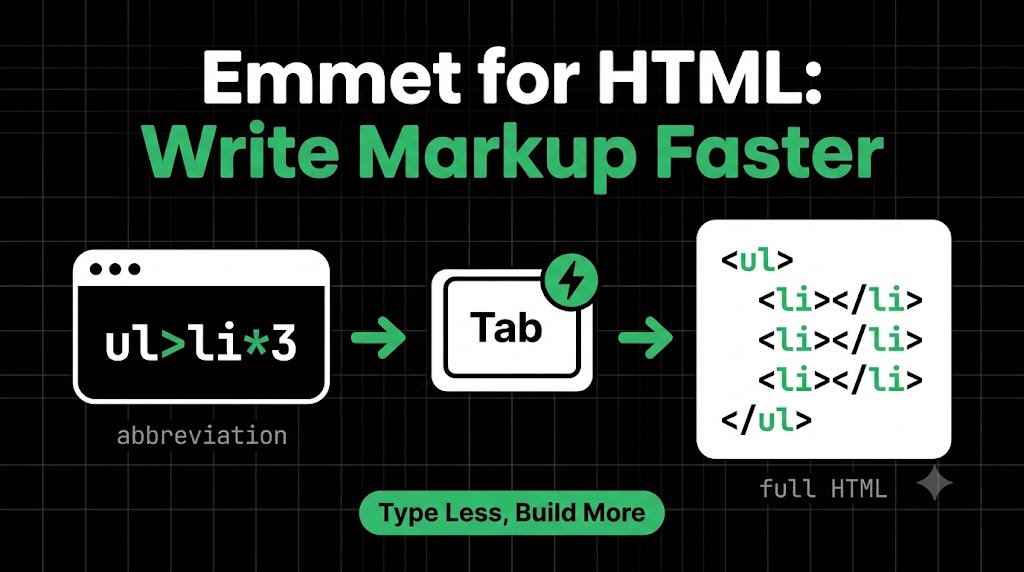
Let’s say you want a simple list of three items. Without any shortcuts, you’d type this:
<ul>
  <li></li>
  <li></li>
  <li></li>
</ul>
That’s a lot of angle brackets, slashes, and closing tags for something so small. Now imagine a whole page. Your fingers get tired, and typos sneak in.
What if you could type ul>li*3, press Tab, and get that entire list instantly? That’s Emmet, and it’s already built into most code editors.
What is Emmet?
Emmet is a shortcut language for HTML. You type a short abbreviation, press a key, and your editor expands it into full HTML.
Think of it like text-message shortcuts: you type “brb” and everyone knows it means “be right back.” Emmet works the same way, except your editor does the expanding for you.
Why is Emmet Useful for Beginners?
- You type less. Less typing means less tiredness and fewer mistakes.
- No forgotten closing tags. Emmet always writes the full pair for you.
- You learn structure faster. Writing
ul>limakes the parent-child relationship obvious. - It’s the habit of almost every working developer. You’ll see it in tutorials all the time.
And remember, Emmet is optional. You can write HTML without it, but once you try it, it’s hard to go back.
How Emmet Works Inside Code Editors
Emmet comes built into VS Code, which is the editor. Many other editors support it too, either built in or through a plugin.
The workflow is simple:
- Type an abbreviation.
- Press Tab (or Enter, if a suggestion pops up).
- Your editor replaces it with real HTML.
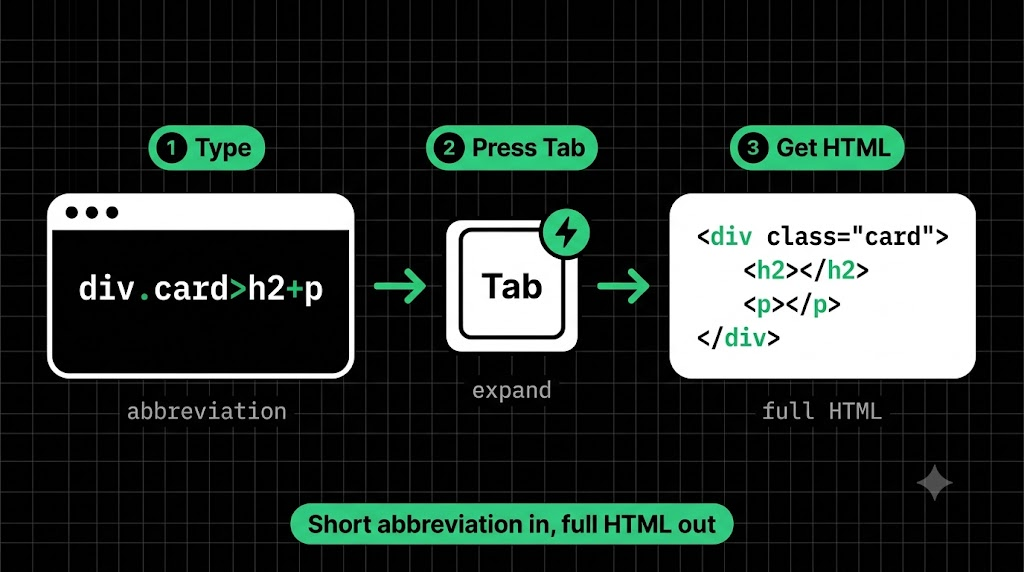
Each example below follows the same pattern :
Emmet abbreviation → expanded HTML.
Try each one yourself in an .html file as you read.
Creating HTML Elements
Just type the tag name and press Tab.
p
becomes
<p></p>
h1
becomes
<h1></h1>
To add text inside, use curly braces:
h1{Hello World}
becomes
<h1>Hello World</h1>
Adding Classes and IDs
Use a dot . for a class and a hash # for an ID.
p.intro
becomes
<p class="intro"></p>
div#main
becomes
<div id="main"></div>
You can combine them:
section#hero.dark
becomes
<section id="hero" class="dark"></section>
Here’s a nice shortcut: if you skip the tag name, Emmet assumes div.
.container
becomes
<div class="container"></div>
Adding Attributes
Use square brackets [ ].
a[href="https://hashnode.com"]
becomes
<a href="https://hashnode.com"></a>
img[src="photo.jpg" alt="Sunset"]
becomes
<img src="photo.jpg" alt="Sunset">
Separate multiple attributes with a space.
Creating Nested Elements
Use the greater-than sign > to put one element inside another (parent > child).
div>p
becomes
<div>
  <p></p>
</div>
You can go deeper:
ul>li>a
becomes
<ul>
  <li><a href=""></a></li>
</ul>
Use the plus sign + to place elements next to each other (siblings).
h1+p
becomes
<h1></h1>
<p></p>
Now you can combine them:
div.card>h2+p
becomes
<div class="card">
  <h2></h2>
  <p></p>
</div>
Repeating Elements With Multiplication
Use the star * to repeat an element, just like multiplying.
li*3
becomes
<li></li>
<li></li>
<li></li>
Combine it with nesting, and that’s the magic from the start of this blog:
ul>li*3
becomes
<ul>
  <li></li>
  <li></li>
  <li></li>
</ul>
Want numbered classes? Add a dollar sign $, which counts up for you:
li.item$*3
becomes
<li class="item1"></li>
<li class="item2"></li>
<li class="item3"></li>
Generating the Full HTML Boilerplate
Every webpage starts with the same skeleton. Instead of typing it from memory, type just this in an empty HTML file:
!
Press Tab, and VS Code gives you:
<!DOCTYPE html>
<html lang="en">
	<head>
	  <meta charset="UTF-8">
	  <meta name="viewport" content="width=device-width, initial-scale=1.0">
	  <title>Document</title>
	</head>
	<body></body>
</html>
An entire page skeleton from one character. (You can also type html:5 and press Tab for the same result.)
Quick Cheat Sheet
tagmakes an element.namemakes a class#namemakes an ID[attr="value"]adds attributes{text}adds text>nests inside+creates a sibling3repeats!makes the boilerplate
Wrapping Up
Emmet is a shortcut language that turns tiny abbreviations into full HTML. Learn the nine patterns in the cheat sheet and you’ll cover almost everything you’ll need day to day. It’s optional, but it’ll save you thousands of keystrokes.
Comments
Join the discussionNo comments yet. Be the first to comment.
HTML, CSS & the Browser
A beginner-friendly HTML & CSS series for developers. Learn how browsers turn code into pages, then build up your skills one concept at a time, with simple analogies and clear diagrams.