Understanding HTML Tags and Elements: The Building Blocks of Every Webpage
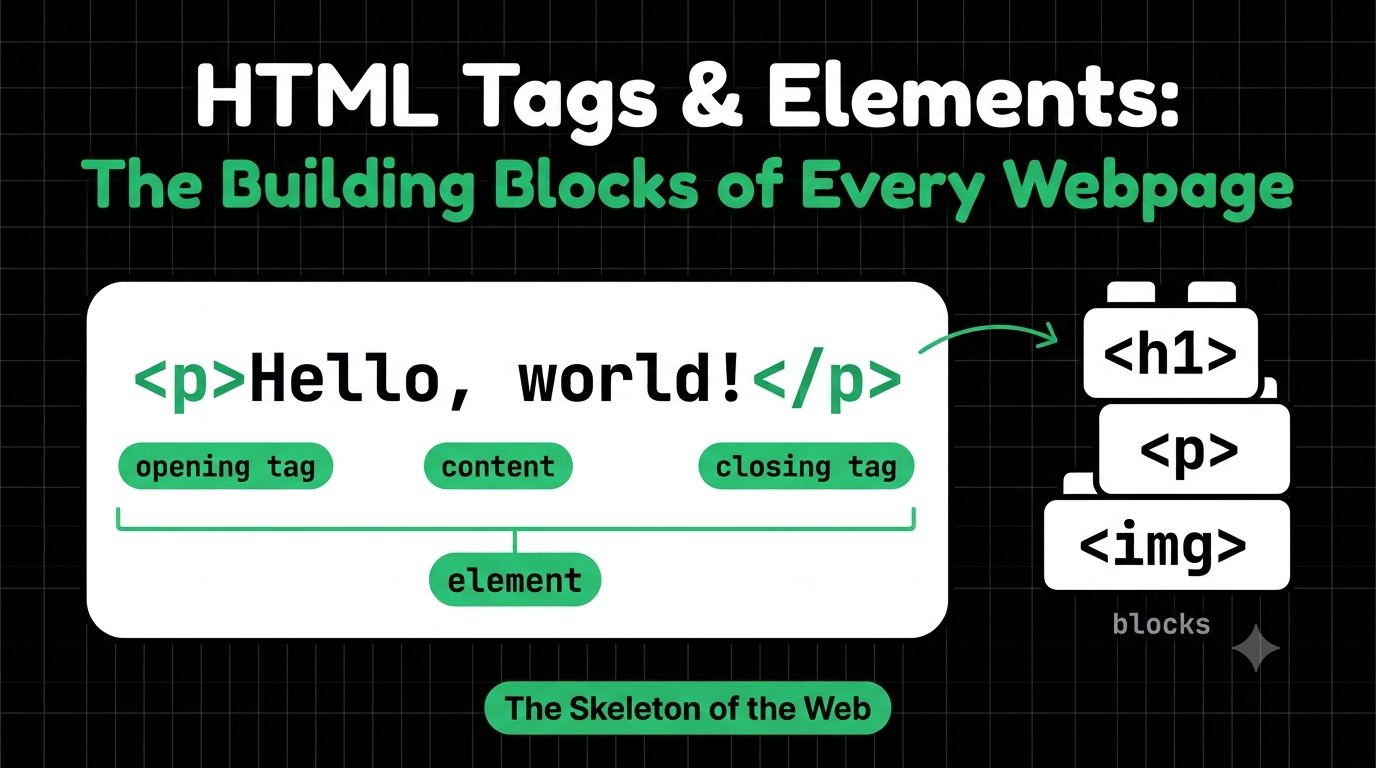
Every website you’ve ever visited, from YouTube to your favorite news site, starts with the same thing: a plain text file full of small labels called HTML.
If you’re just starting web development, this is where your journey begins. By the end of this blog, you’ll be able to read basic HTML and write your own.
What is HTML and Why Do We Use It?
HTML stands for HyperText Markup Language. It’s the language that describes the structure of a webpage: what’s a heading, what’s a paragraph, what’s a link, what’s an image.
Think of a webpage as a human body. HTML is the skeleton, giving everything its shape and structure. CSS is the skin and clothes, and JavaScript is the brain and muscles that make it move.
Without HTML, the browser would just see a pile of text with no idea what any of it means.
What is an HTML Tag?
A tag is a label that tells the browser what kind of content it’s looking at. Tags are written inside angle brackets:
<p>
That’s the p tag, short for paragraph. Think of tags like labels on boxes. A box labeled “kitchen” tells you what’s inside before you open it.
Opening Tag, Closing Tag, and Content
Most tags come in pairs:
<p>Hello, world!</p>
This has three parts:
- Opening tag:
<p>says “a paragraph starts here.” - Content:
Hello, world!is what the paragraph actually says. - Closing tag:
</p>says “the paragraph ends here.” Notice the forward slash.
It works like a sentence with start and end marks
What is an HTML Element?
This is where beginners get confused, so let’s me make it clear.
A tag is just the label. An element is the whole thing together :
opening tag + content + closing tag
<p>Hello, world!</p>
The whole line above is one paragraph element. Inside it, <p> and </p> are the tags.
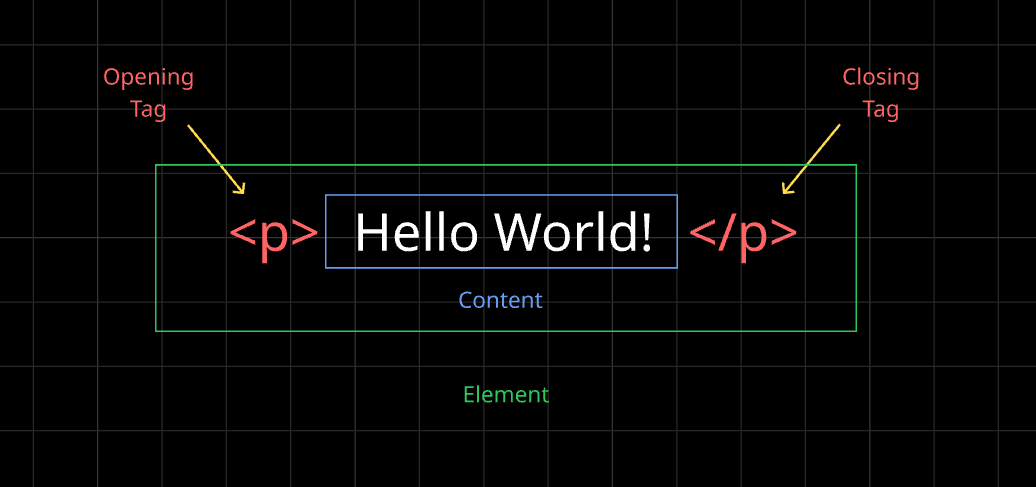
In everyday talk, people say “tag” and “element” almost interchangeably, and that’s okay. Just know that the element is the bigger picture.
Self-Closing (Void) Elements
Some elements have nothing to put inside them, so they don’t need a closing tag. These are called void elements (or self-closing elements).
<br>
<hr>
<img src="photo.jpg" alt="sunset">
<br> is a line break, <hr> is a horizontal line, and <img> shows an image. There’s no content to wrap, so they just stand alone.
Block-Level vs Inline Elements
This is one of the most important ideas in HTML layout.
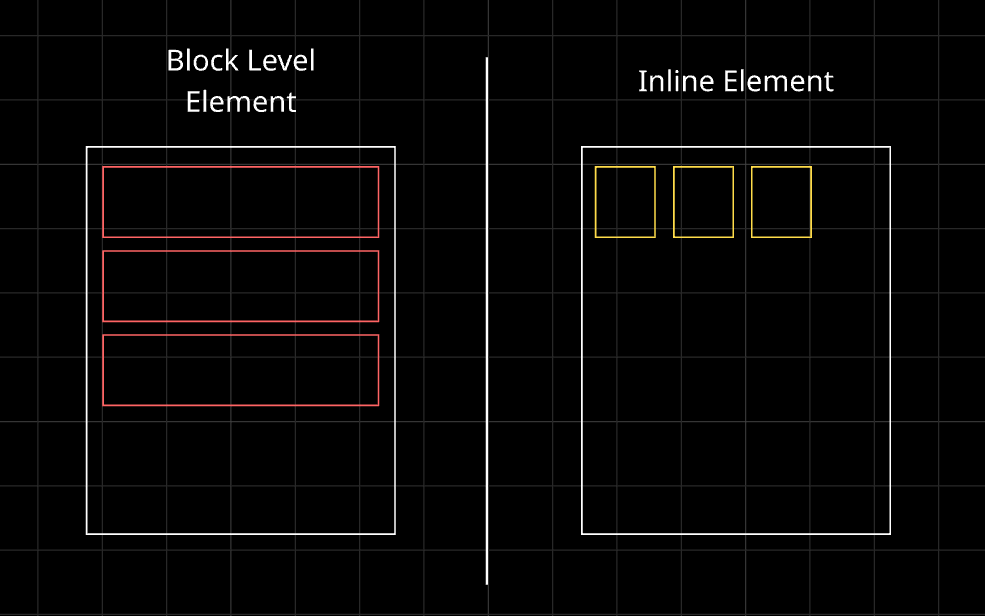
Block-level elements take up the full width available and always start on a new line.
<h1>My Blog</h1>
<p>This is a paragraph.</p>
<div>This is a div.</div>
Each one sits on its own line.
Inline elements only take up as much space as their content and sit side by side within a line, like words in a sentence.
<p>I love <span>HTML</span> and <strong>CSS</strong>.</p>
Here, span and strong stay inside the same line as the surrounding text.
Commonly Used HTML Tags
Here are the ones you’ll use constantly:
<h1>to<h6>: headings, from biggest to smallest (block)<p>: a paragraph of text (block)<div>: a generic container to group things (block)<span>: a generic container for a small piece of text (inline)<a>: a link to another page (inline)<img>: an image (void)<ul>and<li>: a list and its list items (block)<strong>and<em>: bold and italic importance (inline)
And here’s a tiny page using several of them:
<h1>My First Page</h1>
<p>I am learning <strong>HTML</strong> today.</p>
<a href="https://hardikdotdev.hashnode.dev/">Visit My Hashnode Profile</a>
<ul>
  <li>HTML</li>
  <li>CSS</li>
</ul>
Try It Yourself: Inspect Any Website
Here’s the best way to learn: look at real HTML. Open any website, right-click on something, and choose Inspect. The Elements panel shows you the actual tags and elements that website is built from.
Click on a heading and find its <h1> tag. Hover over a <div> and watch the browser highlight its box. It’s like having X-ray vision for the web.
Wrapping Up
HTML is the skeleton of a webpage. Tags are the labels, an element is the whole package (opening tag, content, and closing tag), void elements stand alone, and block elements stack while inline elements flow. That’s already enough to start building real pages.
Comments
Join the discussionNo comments yet. Be the first to comment.
HTML, CSS & the Browser
A beginner-friendly HTML & CSS series for developers. Learn how browsers turn code into pages, then build up your skills one concept at a time, with simple analogies and clear diagrams.