How a Browser Works: A Beginner-Friendly Guide to Browser Internals
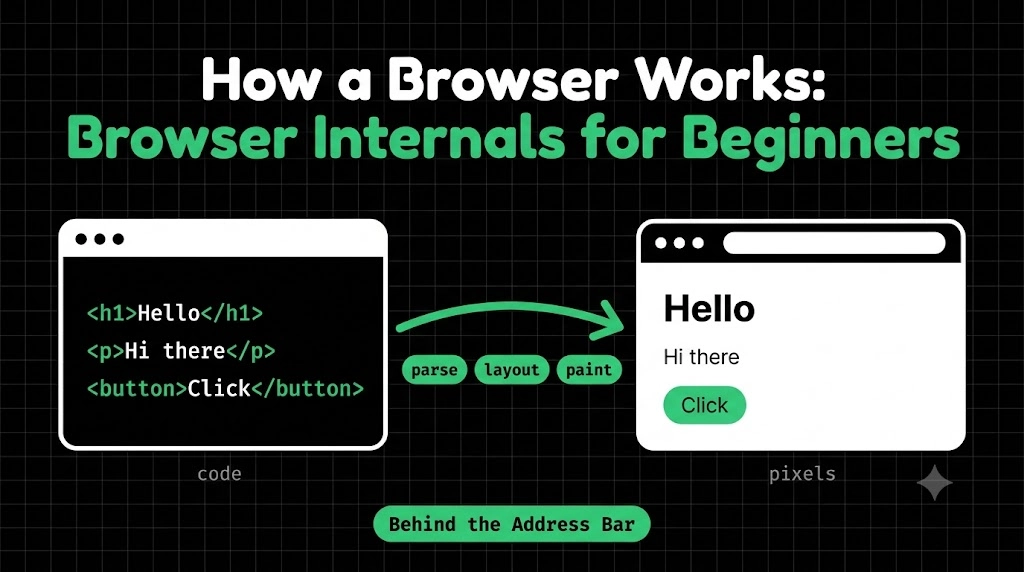
You type a URL, press Enter, and a moment later a full page appears. Text, colors, images, buttons, all in place.
But what actually happened in that moment? This blog walks through the journey, step by step. It’s meant for beginners, so don’t worry about memorizing anything. Just follow the flow.
What is a Browser, Really?
A browser isn’t just something that “opens websites.” It’s a program that fetches code (HTML, CSS, JavaScript) from servers and turns it into the visual page you see.
Think of it as a translator and painter. The server sends instructions in text form, and the browser reads them and paints the result on your screen.
The Main Parts of a Browser
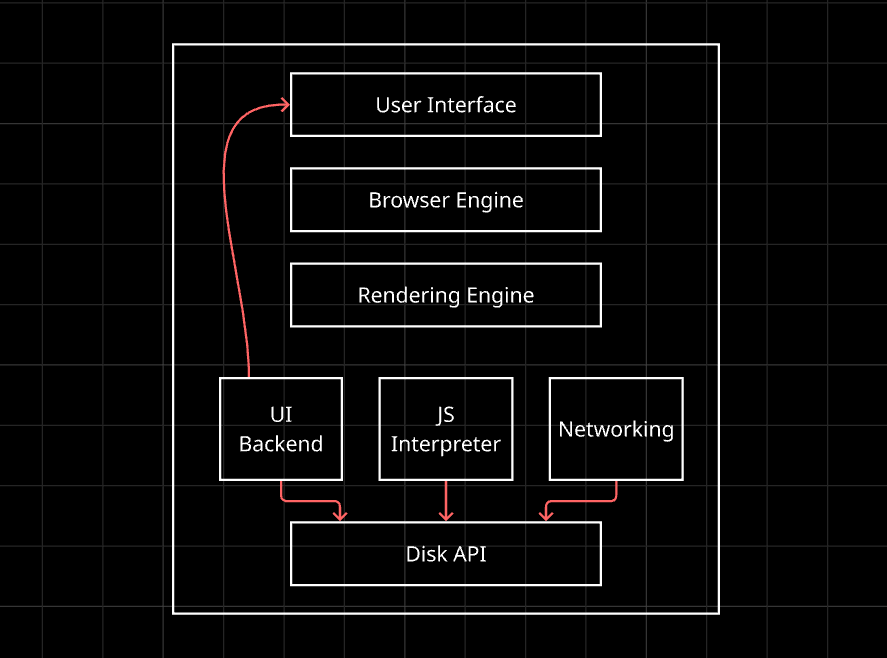
A browser is a team of components working together:
- User Interface: what you see and click.
- Browser Engine: the manager that connects the UI with the rest.
- Rendering Engine: the part that turns HTML and CSS into pixels.
- Networking: fetches files from the internet.
- JavaScript Engine: runs the JavaScript code.
User Interface
This is everything around the page: the address bar, tabs, back and forward buttons, bookmarks. It’s the part you control, and it has nothing to do with the website’s own content.
Browser Engine vs Rendering Engine
These two get mixed up a lot.
The browser engine is the coordinator. It takes your actions (like pressing Enter) and tells the other parts what to do.
The rendering engine is the specialist. Its only job is to take HTML and CSS and turn them into what’s drawn on screen.
Think of a restaurant. The browser engine is the manager taking your order, and the rendering engine is the chef actually cooking. (You’ll hear names like Chromium and Gecko. They’re just names of real-world rendering engines, and that’s all you need to know for now.)
Networking: Fetching the Files
Once you press Enter, the networking part gets to work. It finds the server (using DNS), connects to it, and asks for the page. The server replies with an HTML file. While reading it, the browser discovers more files it needs, like CSS and JavaScript, and fetches those too.
HTML Parsing and the DOM
Now the browser has HTML text, but text isn’t useful yet. It needs structure.
Parsing means breaking something down so its meaning becomes clear, just like you break a sentence into words, then work out which is the subject and which is the verb.
The browser parses the HTML and builds a tree called the DOM (Document Object Model).
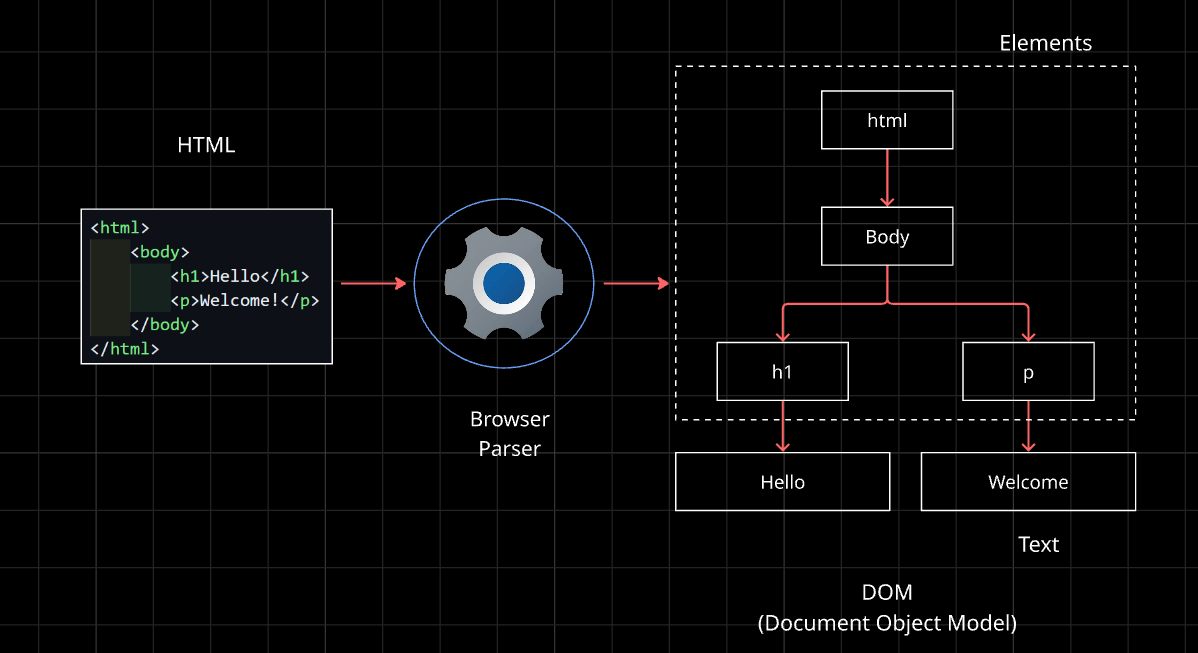
It’s like a family tree. body is the parent, and h1 and p are its children.
CSS Parsing and the CSSOM
The browser does the same thing with CSS. It reads the styles and builds another tree called the CSSOM (CSS Object Model), which holds all the styling rules.
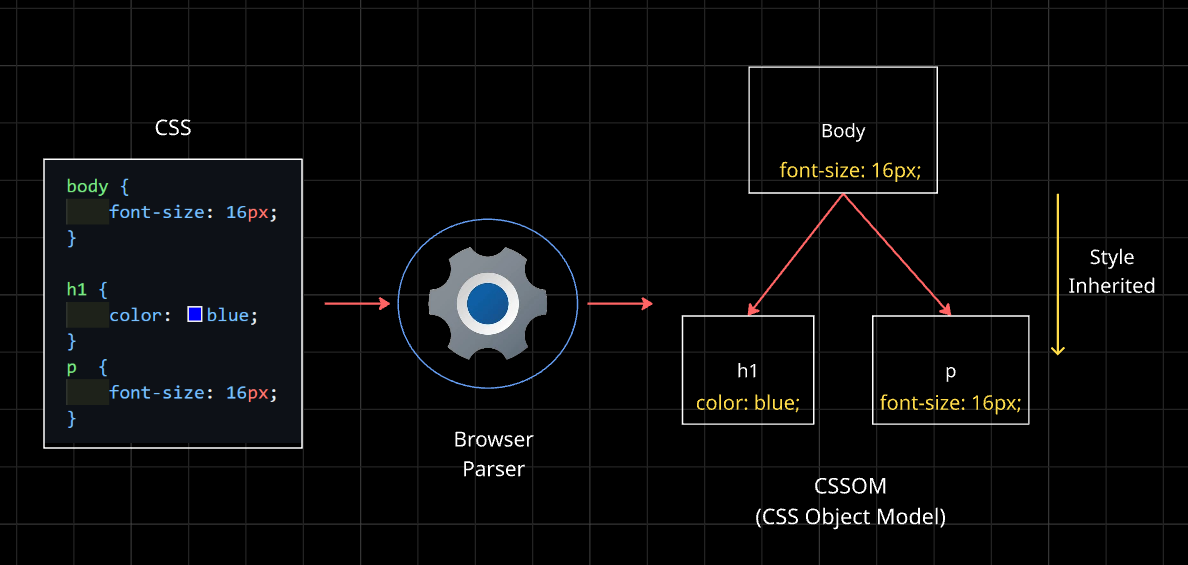
This tells the browser what each element should look like.
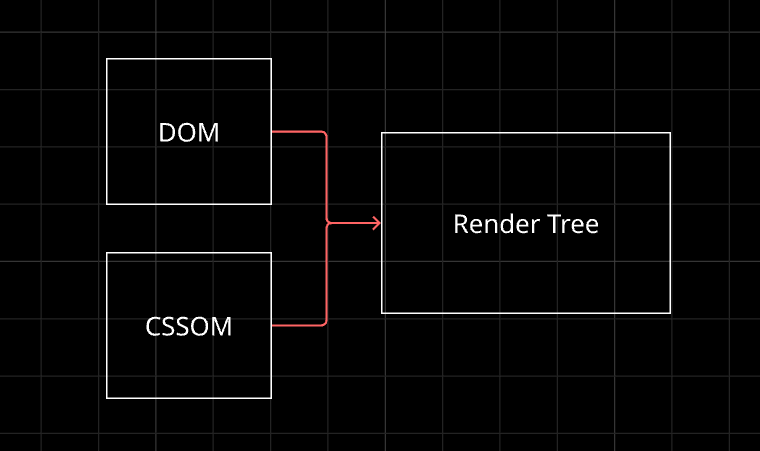
DOM + CSSOM = Render Tree
Now the browser has two things: the structure (DOM) and the styles (CSSOM). It combines them into a render tree, which contains only the things that will actually appear on screen, each with its final styles. (For example, elements hidden with display: none are left out.)
Think of it as structure plus style equals a complete picture plan.
Layout, Paint, and Display
With the render tree ready, three final steps follow:
- Layout (reflow): the browser calculates the exact size and position of every element. How wide is this box? Where does this text go?
- Paint: it fills in the visuals: colors, text, borders, images.
- Display: the painted result appears on your screen.
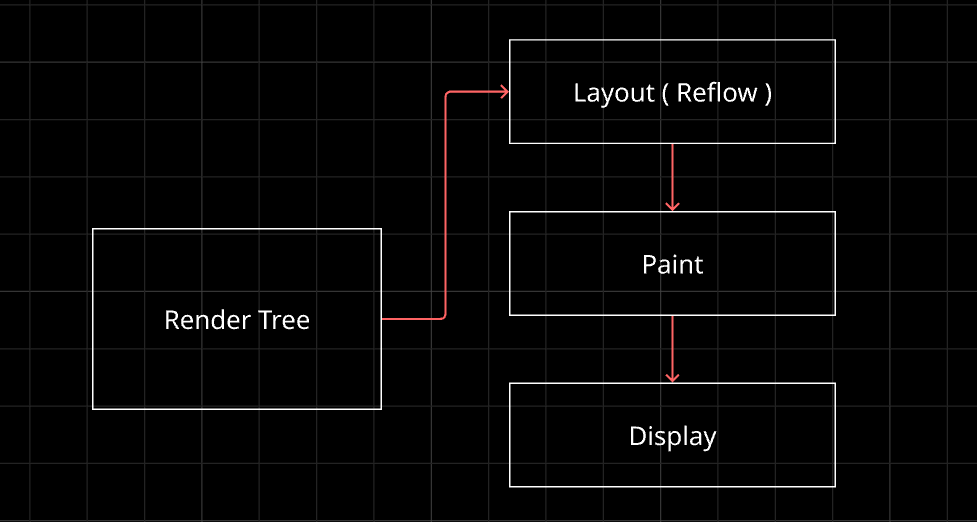
If something changes later, like the window resizing or JavaScript adding an element, the browser may need to redo layout and paint. That’s why reflow is a word you’ll hear in performance discussions.
A Simple Parsing Example
Parsing isn’t only for HTML. Here’s the same idea with math. A parser doesn’t just read left to right. It understands that multiplication comes first, and builds a tree.
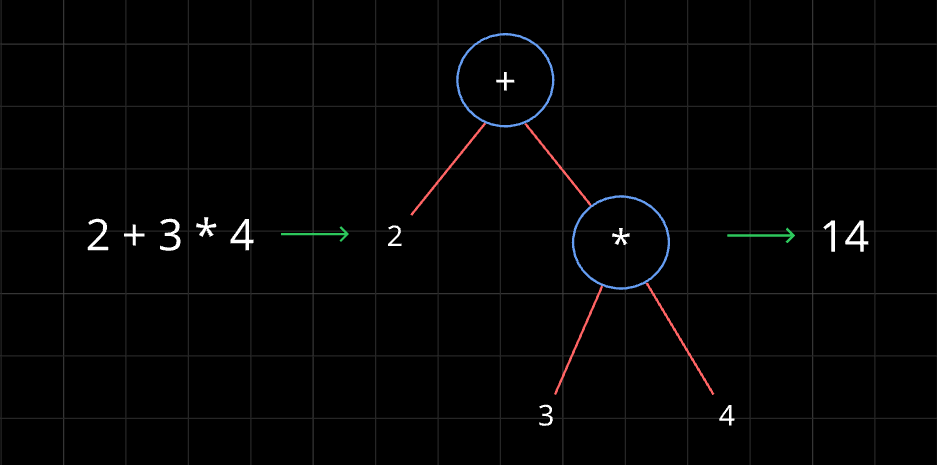
Now it’s clear : compute 3 * 4, then add 2. The answer is 14. This is exactly what the browser does with HTML : turn flat text into a tree that carries meaning.
The Full Journey
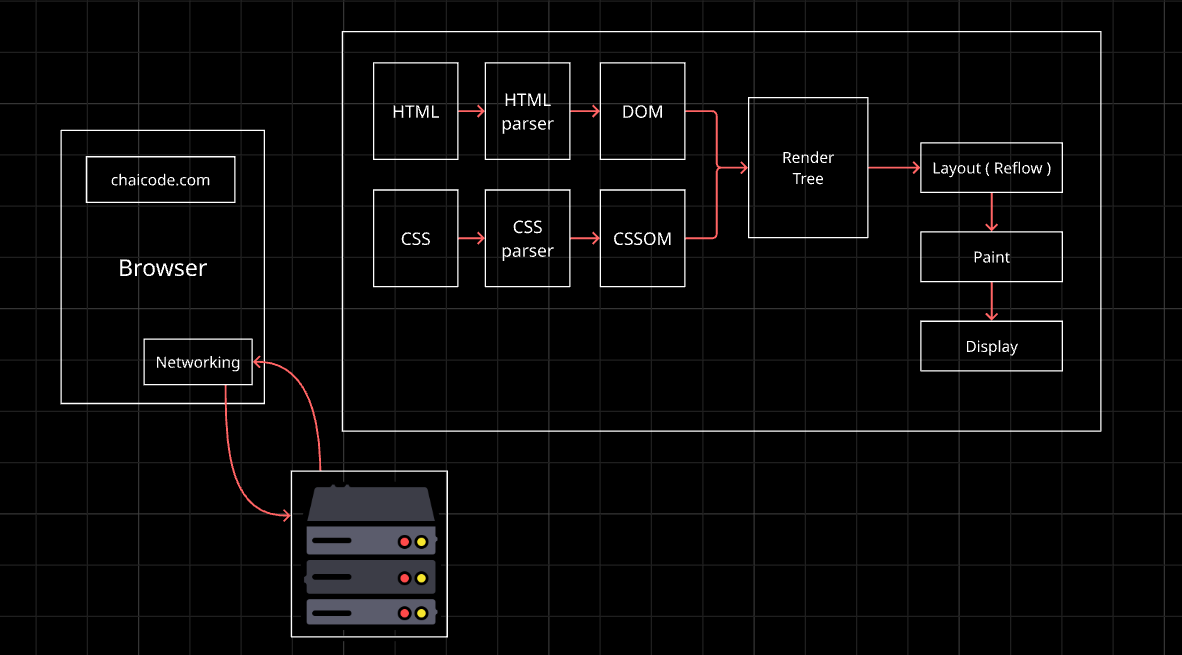
Putting it all together, here’s what happens when you press Enter:
- The UI takes your URL.
- The networking part fetches HTML, CSS, and JS.
- The HTML is parsed into the DOM.
- The CSS is parsed into the CSSOM.
- They’re combined into the render tree.
- The browser does layout, then paint.
- Pixels appear on your screen.
Wrapping Up
A browser is a team : networking fetches, parsers build trees, the rendering engine combines them, and the screen shows the result. You don’t need to remember every term today. If you remember the flow, URL → files → DOM and CSSOM → render tree → layout → paint → screen, you’ve understood the heart of it.
Comments
Join the discussionNo comments yet. Be the first to comment.
HTML, CSS & the Browser
A beginner-friendly HTML & CSS series for developers. Learn how browsers turn code into pages, then build up your skills one concept at a time, with simple analogies and clear diagrams.