Picture this: it’s 2 AM, and your project is due in the morning. You and your friend Rahul have each been coding your half of a college project. He hands you a pendrive with his latest code. You copy it over, merge things by hand, and run it. Everything works.
Then Rahul calls: “Bro, did you use my latest file? I fixed a bug last night.”
Silence. You check, and you used the old one. Your own changes from this morning are gone too, because you pasted his files right over yours.
If you’re new to programming, this blog is for you. It explains why this nightmare is the reason version control exists.
The Pendrive Workflow
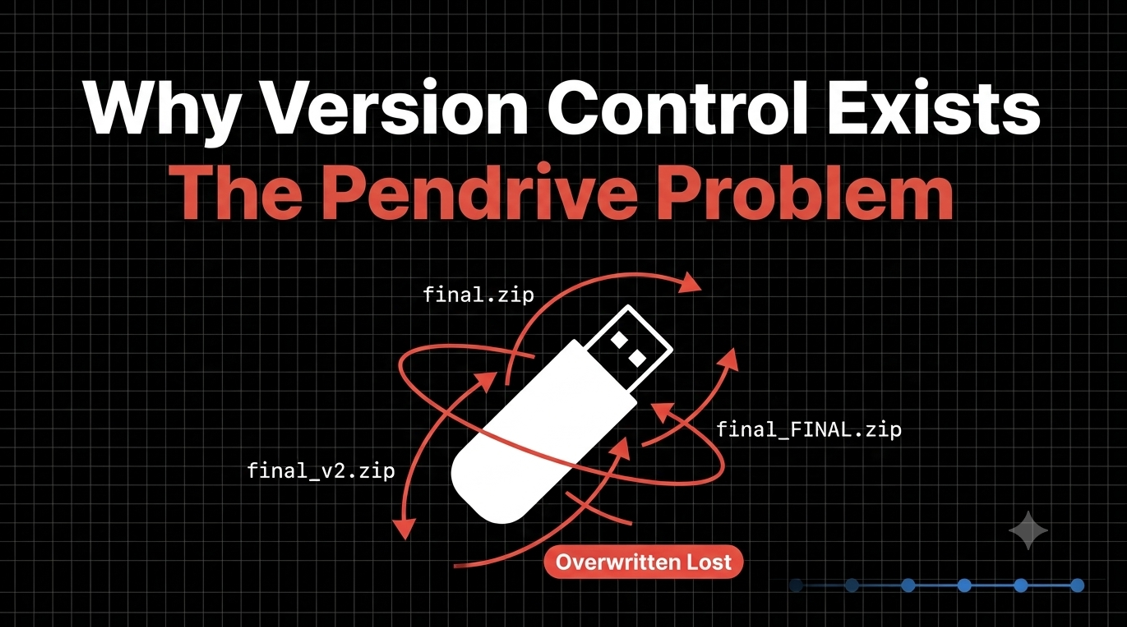
Before tools like Git, sharing code meant pendrives, emails, and USB cables. Folders looked like this:
project_final
project_final_v2
project_final_v2_latest
project_final_v2_latest_REAL
project_final_v2_latest_REAL_dontTouch
Nobody could say which one was actually the latest. Everyone had their own copy, and every copy was slightly different.
Overwriting Code
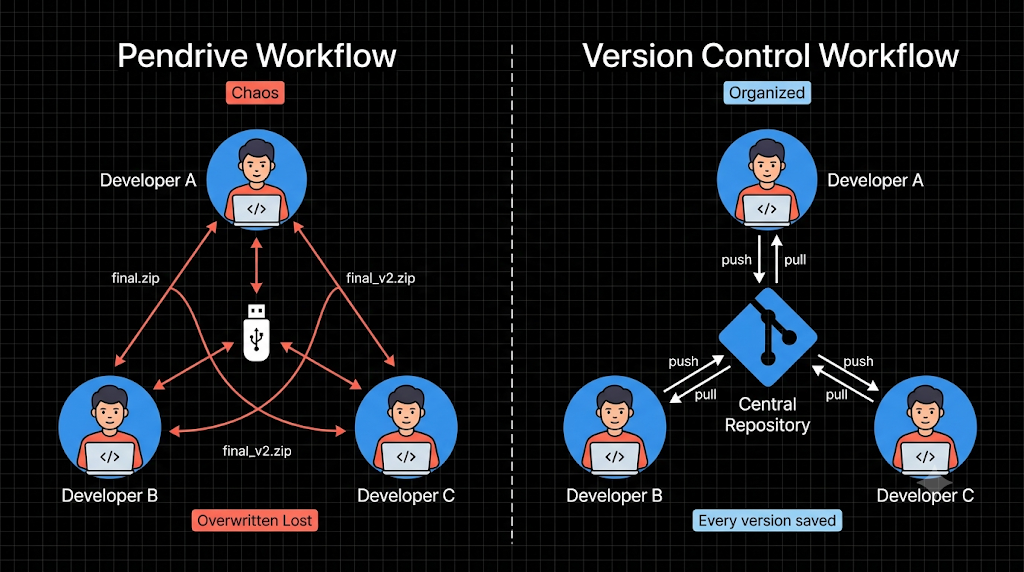
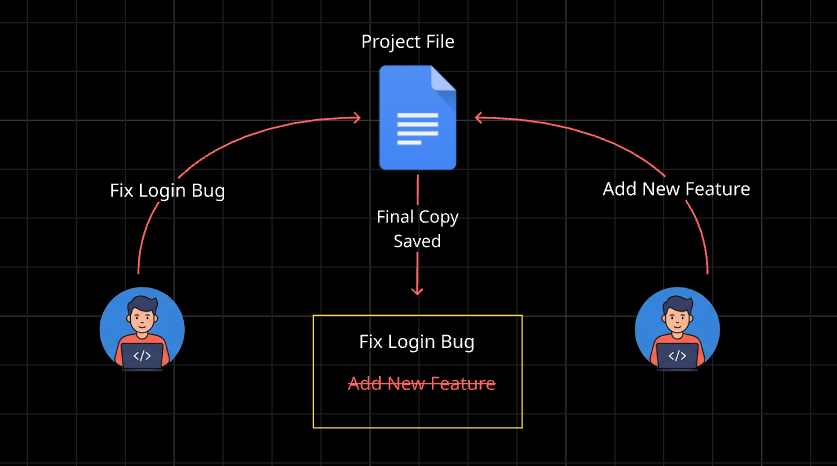
Say you and Rahul both edit login.js. You add form validation, and he fixes a bug in the password check. You each save your own copy. When you finally combine them, whoever copies last wins, and the other person’s work vanishes silently. No warning appears and no error shows up. You only find out when something breaks.
Losing Changes
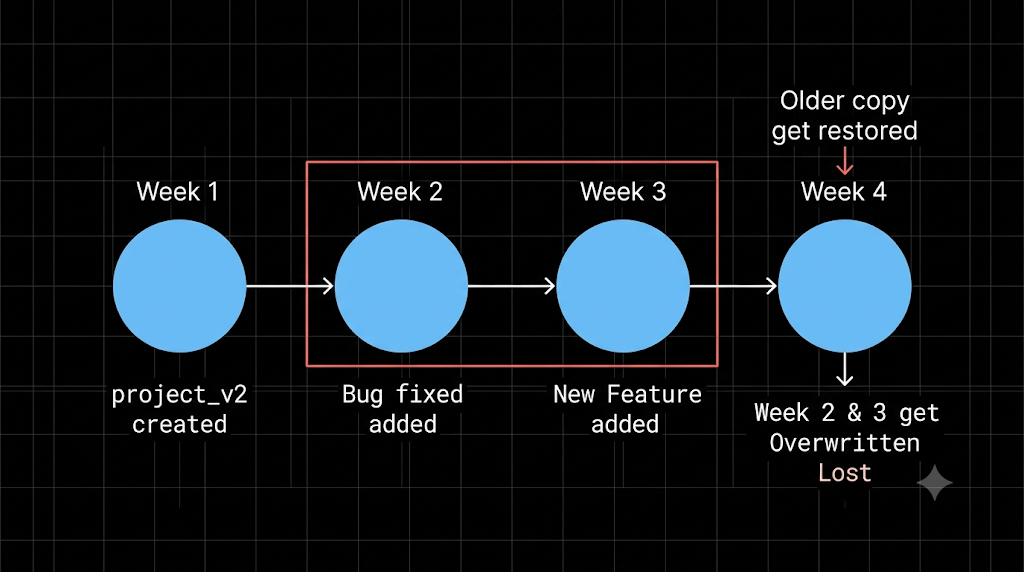
Overwriting isn’t the only way to lose work. A pendrive gets corrupted. An email gets buried. You delete a function at 1 AM because it “looks useless,” save the file, and realize three days later that you needed it. Without a saved history, there is no undo button for yesterday. Whatever is gone stays gone.
No Collaboration History
Even when nothing was lost, one question had no answer: who changed this, and why?
Suppose the app crashes after a team update. You open the code and find a strange line. Who wrote it? When? What was it replacing? With pendrives and folders, nobody knows. You end up asking the whole team on WhatsApp, and everybody says, “Not me.”
Why This Breaks Real Teams
With two people, this is annoying. With ten, it’s chaos. Add up the problems:
Nobody knows which file is the latest.
Two people’s work collides and one gets erased.
Mistakes can’t be undone.
There is no record of who changed what.
Real software has thousands of files and many developers working at the same time. Sharing by pendrive doesn’t scale. Teams were losing hours, and sometimes weeks, to the same avoidable mistakes.
Enter Version Control
Developers needed one shared place for the code, a record of every change, and a safe way to combine everyone’s work. That is exactly what a Version Control System (VCS) provides. Instead of copying files around, you:
Keep the project in one central place (a repository).
Save changes as small checkpoints called commits, each with a note on what changed and who made it.
Go back to any older version whenever you want.
Merge multiple people’s work without silently erasing anyone’s.
It’s like having a “save point” in a video game. If you mess up, you reload instead of starting over.
Why It Became Mandatory
Today, no serious team writes code without version control. It protects your work, shows the full history, and lets many people build the same project together. Companies expect it, and so should you.
So the next time you see a folder named final_v2_latest_REAL, you’ll know that is the problem Git was built to solve.
Comments
Join the discussionNo comments yet. Be the first to comment.
Git & Github
A beginner-friendly Git & GitHub series covering everything from the fundamentals of version control and essential Git commands to understanding Git internally and mastering practical workflows with GitHub.