How does a browser know where a website lives?
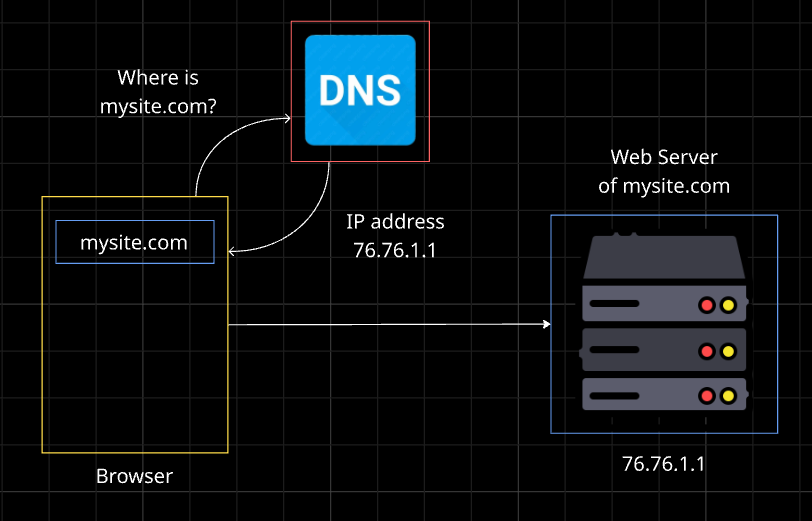
You type a name like mysite.com, and a moment later the page appears. But computers don’t understand names, they understand numbers. Somewhere in between, something looks up the name and finds the right place.
That something is DNS, and the details live in small entries called DNS records. Don’t worry, there are only a handful you need to know, and we’ll take them one at a time.
What is DNS?
DNS is the phonebook of the internet. You look up a name, and it gives you the number. You remember mysite.com, and DNS finds the address behind it.
Why Do We Need DNS Records?
A phonebook entry doesn’t just hold a number. Some entries hold an address, a work number, or an email. DNS works the same way. A domain needs to answer different questions: Where is the website? Who manages this domain? Where should emails go?
Each question is answered by a different record type. Let’s meet them.
NS Record: Who’s in Charge?
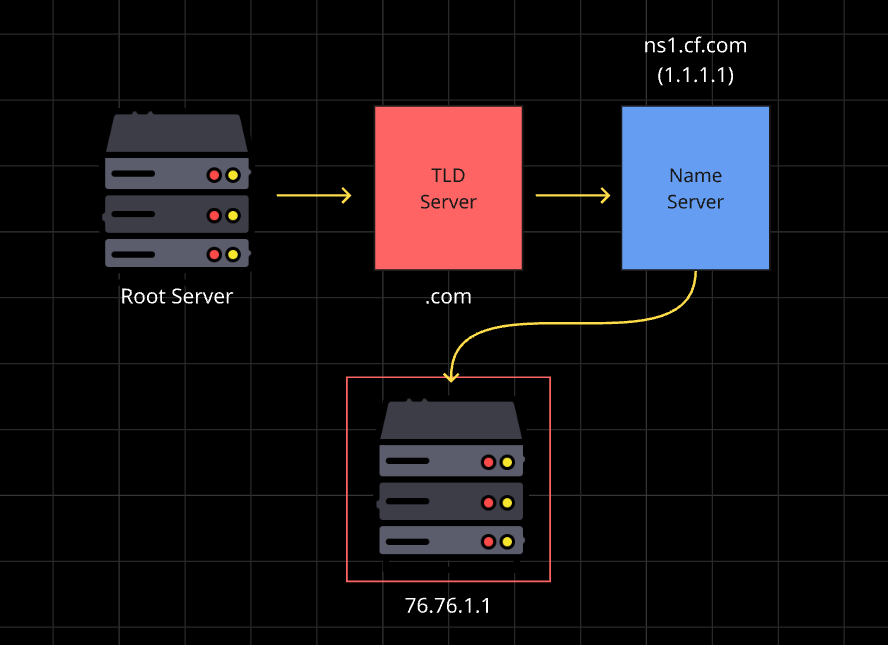
An NS (Name Server) record says which servers are responsible for your domain’s records. Think of it as the post office that handles all mail for your street. When anyone asks about your domain, they’re sent there first.
When you buy a domain and point it to a hosting or DNS provider, you’re setting its NS records.
A Record: Domain → IPv4 Address
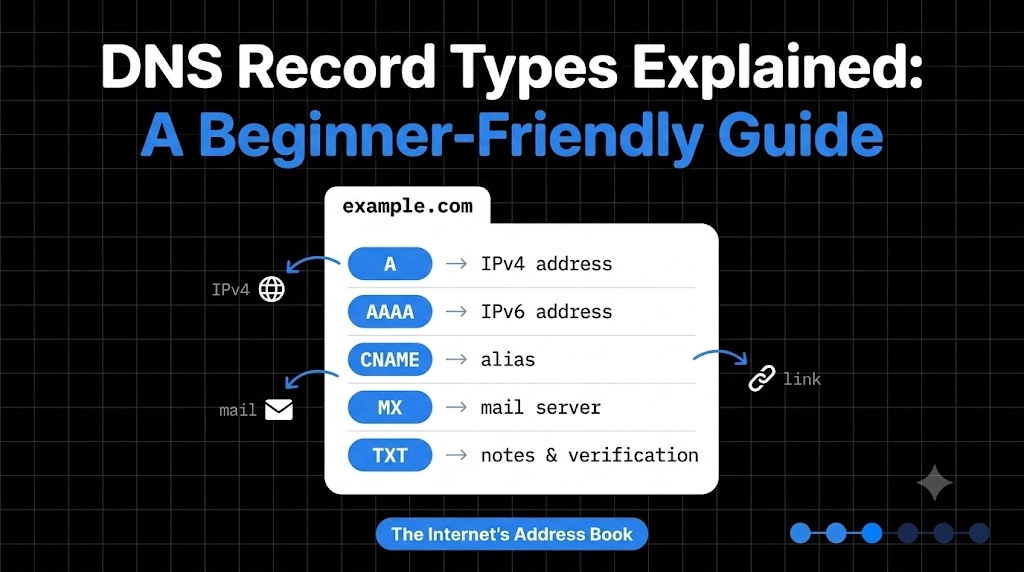
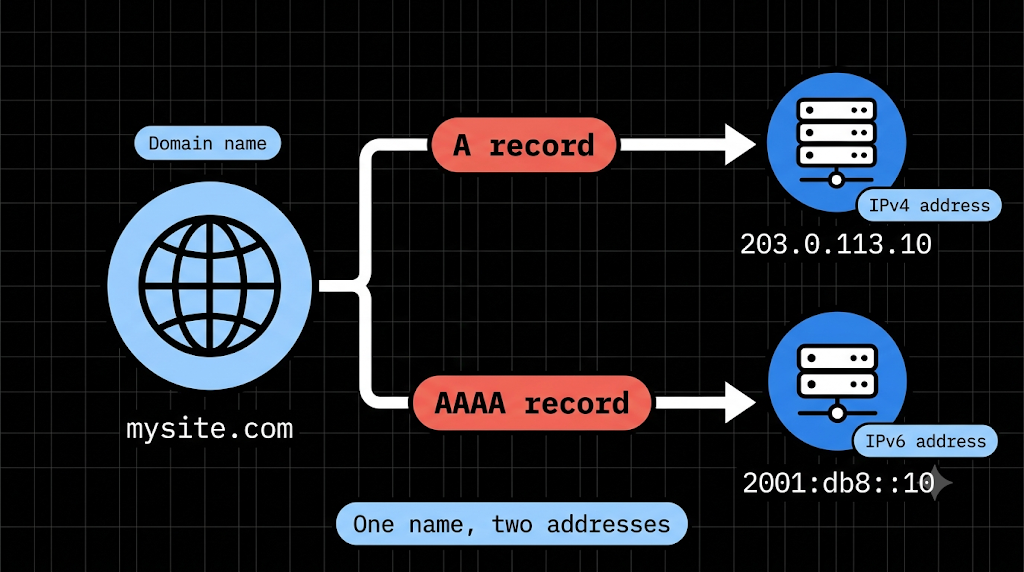
An A record connects a name to an IPv4 address (like 192.0.2.10). It’s the house address of your website.
mysite.com A 76.76.1.1
This solves the most basic problem: “where is the server for this name?”
AAAA Record: Domain → IPv6 Address
Same job as an A record, but for the newer IPv6 format (like 2001:db8::1). The world was running out of IPv4 addresses, so IPv6 was created. Many sites keep both records so every visitor can connect.
CNAME Record: One Name Pointing to Another
A CNAME says “this name is just another name for that one.”
www.mysite.com CNAME mysite.com
Think of it as a nickname. If you call someone “Hardik” and Hardy,” both lead to the same person. The big benefit is that if the real address changes, you only update one record and every nickname follows.
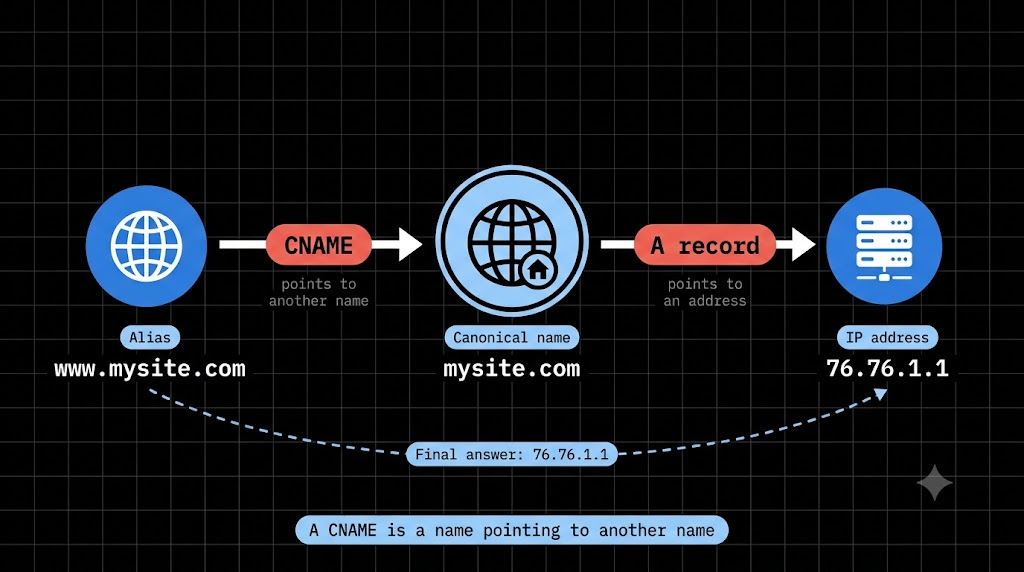
A vs CNAME, gently cleared up: An A record points a name to an IP address. A CNAME points a name to another name. If you know the IP, use A. If you want one name to follow another, use CNAME. One handy rule: a CNAME can’t normally sit on the bare root domain (mysite.com), so root domains use A records.
MX Record: Where Does Email Go?
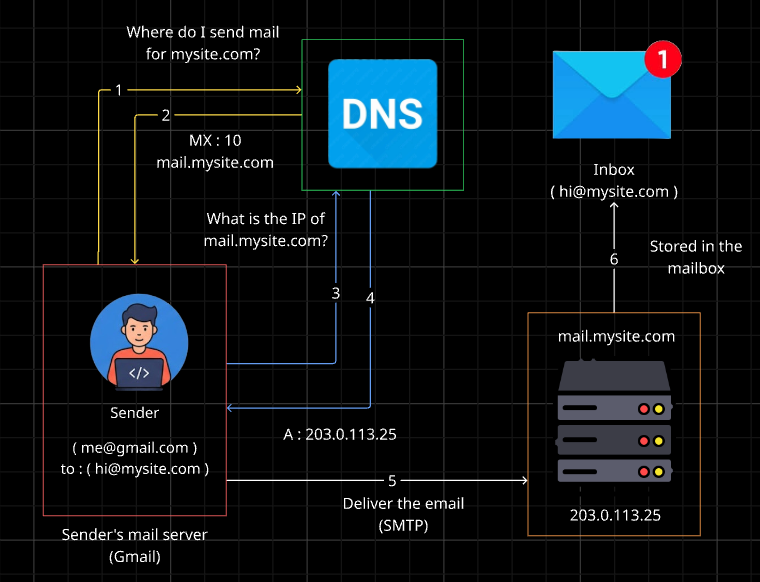
When someone emails hello@mysite.com, how does the message find your mail server? Through MX (Mail Exchange) records, which tell the world which servers accept email for your domain.
mysite.com MX 10 mail.mysite.com
The number is a priority, and lower numbers are tried first. It’s like a mailbox address that’s separate from your house. Your website and your email can live in completely different places.
NS vs MX, gently cleared up: NS says who manages the domain’s records. MX says where emails should be delivered. One handles control, the other handles mail.
TXT Record: Extra Information
A TXT record holds plain text notes about your domain. It’s mostly used for verification and email security, like proving to a service that you own the domain, or setting email rules (SPF, DKIM) so your emails don’t land in spam.
mysite.com TXT "verification-code-abc123"
Think of it as a sticky note on your door that others can read to confirm it’s really yours.
How They Work Together
Here’s one small website with everything in place:
mysite.com        NS       ns1.dnsprovider.com
mysite.com        A        76.76.1.1
mysite.com        AAAA     2001:db8::1
www.mysite.com    CNAME    mysite.com
mysite.com        MX       10 mail.mysite.com
mysite.com        TXT      "verification-code-abc123"
Visitors use A and AAAA to find the site. www follows along through the CNAME. Emails use MX to reach your inbox. Services use TXT to verify you. And NS makes sure everyone asks the right place.
Wrapping Up
NS says who’s in charge. A and AAAA say where the site lives. CNAME gives a name a nickname. MX handles email. TXT holds notes and proof. Six small records, and together they run your domain.
Comments
Join the discussionNo comments yet. Be the first to comment.
Networking Basics
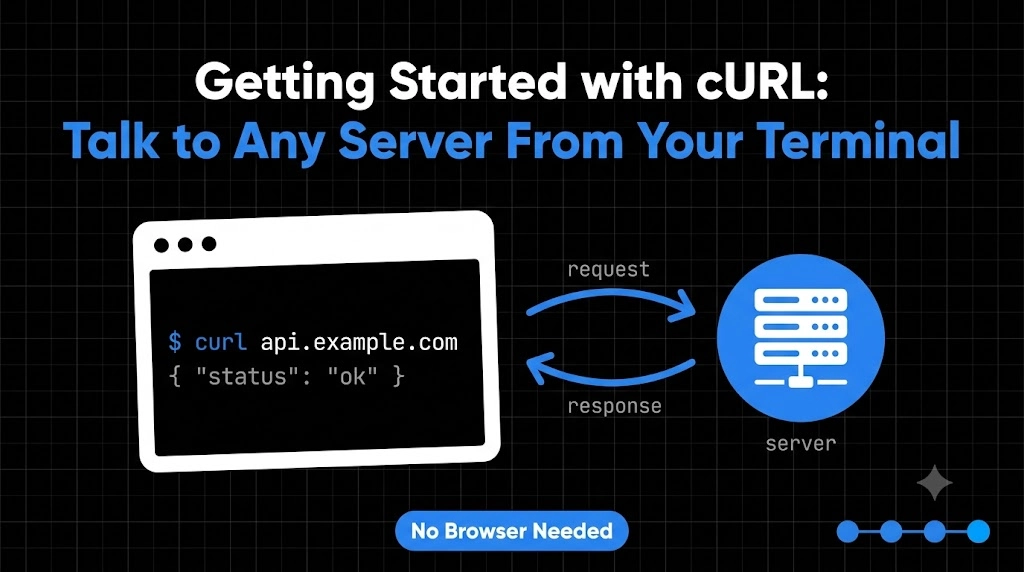
How does the internet actually reach your code? This 6-part beginner series covers network devices, DNS, DNS records, TCP, TCP vs UDP, and hands-on testing with cURL.